Getting Started with Django: A Beginner-Friendly Guide
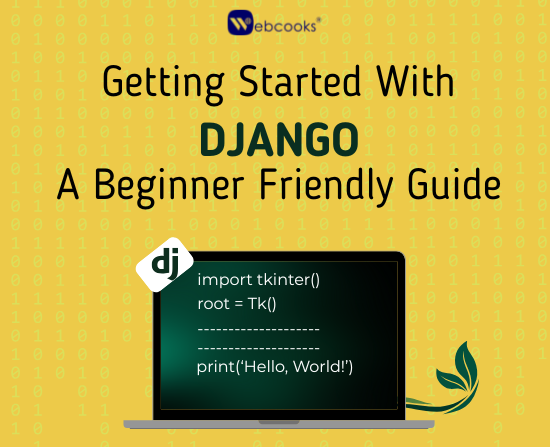
Get your feet wet in web development with Django - a Python framework that is not only powerful but also friendly for the beginners. This blog is an end-to-end guide through concepts like setting up a project, models, views, templates, and user input handling. By breaking down the topics into easily digestible pieces and showing real-life examples, it facilitates newcomers in grasping the process of creating neat and working web applications one step at a time.
Introduction
Have you ever considered developing a website but were held back due to the big, scary words? Or, do you need an easy way to make web applications?Well, you have come to the right guide! Django is a very complete framework that is based on Python that will help with web development in an easier and more structured way. Whether you are learning how to code or want a deeper understanding, this guide will show you the basics while maintaining the goal of being easy-to-understand. Let's get started! or Let's go ahead and dive in!
What is Django?
Django is a web framework based on Python that helps build secure and scalable apps in a fast and easy manner. Django works on an MVT (Model-View-Template) architecture which keeps data access, business logic and presentation separate.
Django is an MVT (Model-View-Template) architecture that separates data access, application logic, and user interface. It makes development more efficient and organized.
Why Choose Django?
- Speed of Development: With built-in features to facilitate fast development.
- Security: Django helps mitigate security risks that could leave your traffic vulnerable to threats like SQL injection and cross-site scripting.
- Scalability: Django is a suitable framework for everything from a small online web project, to large-scale applications. It's great for any project size, from small simple sites, to large scale applications.
- Versatile: Can be used to develop web applications, APIs, and content systems.
Examples of successful applications built with Django:
Mozilla
The Washington Post
Setting Up Django: Step-by-Step Guide
1. Install Python
Because Django is written in Python, this has to be installed first. Get it at python.org.
2. Create a Virtual Environment
A virtual environment will isolate dependencies that your Django project needs.
pip install virtualenv
virtualenv myenv
source myenv/bin/activate # On macOS/Linux
myenvScriptsactivate # On Windows
3. Install Django
With the virtual environment activated, install Django.
pip install django
4. Create a Django Project
Create the Django project using the command:
django-admin startproject myproject
cd myproject
5. Run the Development Server
To check if everything is set up correctly, execute:
python manage.py runserver
Open your browser and navigate to http://127.0.0.1:8000/ to see the default welcome page of Django
Understanding Django’s Core Modules
1. Models (Database Structure)
Django’s ORM (Object-Relational Mapper) makes working with databases effortless.
from django.db import models
class BlogPost(models.Model):
title = models.CharField(max_length=200)
content = models.TextField()
created_at = models.DateTimeField(auto_now_add=True)
2. Views (Logic Handling)
The view is responsible for handling what happens when a user navigates to a webpage.
from django.http import HttpResponse
def home(request):
return HttpResponse("Hello, Django!")
3. URLs (Routing)
A URL is tied to a view.
from django.urls import path
from . import views
urlpatterns = [
path('', views.home, name='home'),
]
4. Templates (HTML Rendering)
Templates are used to render content dynamically.
<!DOCTYPE html>
<html>
<head>
<title>My Django Site</title>
</head>
<body>
<h1>Welcome to Django!</h1>
</body>
</html>
Pros & Cons of Django
Pros
✅ Batteries Included – Comes with core features such as user authentication, database abstraction, and an admin panel, you do not have to set everything up from scratch.
✅ Secure – Helps to protect against common vulnerabilities.
✅ Scalable – Works for both small and large applications.
✅ Community – Good, large community and documentation to help developers get results when they need to.
Cons
❌ Monolith Way of Life – sometimes can be overly restrictive for smaller projects.
❌ Learning Curve – however, it can be a bit tricky for beginners to learn since they may be unfamiliar with web development as a whole.
❌ Performance Cost – heavy framework compared to micro frameworks like Flask.
Real-Life Use Cases of Django
- E-commerce Sites – Run a fully functional e-commerce site while easily managing your products, customers, and payments.
- Blogging Sites – Use Django's built-in admin panel to create content-focused websites.
- Social Media Applications – Django can be leveraged to run social media applications similar to Instagram, but manage hundreds of thousands of users.
- APIs & Back-end Development – Create an API with minimal setup due to Django REST framework (DRF).
- Machine Learning – The sky is the limit when utilizing Django with big data tools, combining your own AI models for analytics or predictions.
Conclusion
Django is excellent for developers wanting to build secure, scalable, and well-designed web applications. It is a suitable framework for developers, as it comes with MVT architecture, lots of tools, and framework functionality to help developers create web applications securely and efficiently. No doubt it will take time to figure out, but the overall documentation and community support make it easy to digest. Start your own project with Django today and upgrade your web developing skills!
Written by
Tanisha Sharma
Webcooks Team