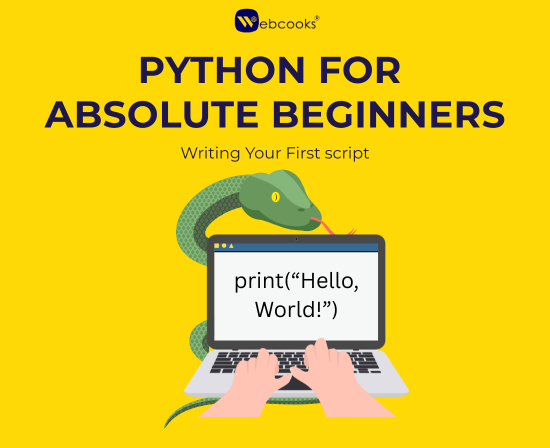
Python for Absolute Beginners: Writing Your First Script
Python beginner this guide is very suitable for you without the need for a previous coding experience. Writing your first script is something the blog will help you with while at the same time it will acquaint you with basic concepts such as variables, input/output, operators, and simple logic. By means of simple explanations and code that you can try on your own, it assists newbies in gaining the necessary confidence and being able to write programs which are actually working from their very first day.
Hey there!
So, Python has been everywhere in your ears - maybe a friend who is learning to code told you, or you just saw a nice project online and thought, “I wish I could do that!”
Well, I tell you, it is absolutely possible.
Python is probably one of the most user-friendly programming languages for a newbie. It is easy, understandable, and has a great deal of power in it - which, by the way, is the exact reason why most people choose it as their first language. If you happen to be wondering about web development, data science, or automation, or if you just want to get the gist of what coding means, this post is definitely the right place to start.
Yeah, think like I am your coding buddy - I will take you through everything, one step at a time, and in a language even your granny would understand. At the end, you will have created your very first Python script, and I assure you that you will experience that little coder's excitement that all the coders remember. Are you set? Then we shall!
🔍 What Is Python and Why Should You Learn It?
Let’s get things clear from the very beginning.
Python is a high-level, general-purpose programming language created by Guido van Rossum in 1991. However, unlike some other programming languages that seem to be complex and hard even to experts, Python is meant to be simple, straightforward, and easy to understand — in a way similar to writing out a normal English sentence.
And that is exactly why it is great for newbies.Python is capable of doing almost anything:
💡 Tip: Errors are not failures—they're feedback. Debugging is part of learning.
📚 Bonus Modules Worth Exploring Early On
If you are a beginner and you have mastered the basics, these are some of the Python modules that will amaze you:
- Automatically handling boring work
- Developing websites and apps
- Building AI and data science projects
- Creating small games or nice tools
✅ Install Python
- Visit the site python.org/downloads
- Click on the button Download Python (the latest version is displayed automatically).
- Launch the installer, and check the "Add Python to PATH" box before clicking the Install Now button.It is as simple as that — Python is now at your disposal!
- Verify it with the command:
✅ Choose an Code Editor
A place to write your code is a must after Python installation — just like a notebook for your programs.Here are the choices you have:- VS Code or PyCharm – Maybe you want to have something more advanced (as well as more beautiful) like Visual Studio Code or PyCharm Community Edition. They are both free and good for beginners.
- IDLE (Built-in Editor) – Python has an editor of its own called IDLE, which is a very simple environment. It is a good place to start for a newbie as everything can be done there in no time.
- Jupyter Notebook – Best suited for interactive coding and data analysis.
👩💻 Step 2: Writing Your First Python Script
It is time to have some fun here — writing your first line of code!🔹 Open your editor and create a file called first_script.py
Now, type this exactly: print("Hello, world!")🔹Then Run your code:
In IDLE, press F5 or go to Run → Run Module In VS Code, click the Run ▶️ button. In your terminal or command prompt: python first_script.py🎉 Output:
Hello, world! That was excellent! You have just created your very first Python script. It may seem like just a small thing here, but this is actually an essential milestone — the first time your computer understood what you wanted to say.🧠Step 4 : Understanding the Basics
It's great you have done your first program together, now let us go through a couple of concepts which will be necessary as you continue studying. The print() Function print() function is the one that you call in your Python code whenever you want to display something to the user. print("Learning Python is fun!") Output: Learning Python is fun! It’s that simple!1️⃣ Comments
Comments are helpful hints that you or someone else writing the code can see. They don't affect the program at all and the Python interpreter simply skips over them.
It's quite handy to put comments in your code when you want to provide an explanation of the code - think of them as little notes put into your program.2️⃣ Variables & Data Types
Variables Imagine variables as boxes in which some data is stored. You name them, set a value, and then use them again. Data Types Python differentiates automatically between various types of data. name = "Tania" age = 21 is_student = True- Strings → "text"
- Integers → 123
- Floats → 14
- Booleans → True or False
- In above example name, age, is_student are variable names.
3️⃣Taking User Input
When you want a python program to be user friendly, you can go for the input() function. The program is in a pause mode until the user types something and hits enter. Such user interactions allow your script to behave like normal applications that respond to inputs! user_name = input("What's your name? ") print("Nice to meet you, " + user_name) input() lets you collect data from the user.4️⃣ Performing Operations in Python
Python can do math that you give it in a snap: Such operations are the basis of Python programs that do calculations, logic, and data processing. a = 10 b = 3 print("Addition:", a + b) print("Subtraction:", a - b) print("Multiplication:", a * b) print("Division:", a / b) print("Remainder:", a % b) Output: Addition: 13 Subtraction: 7 Multiplication: 30 Division: 3.3333333333333335 Remainder: 15️⃣Indentation — Python's Secret Sauce
Python is a language that is different from many languages in the world that use { } to show code blocks, by depending on indentation. Indentation = characters used for spacing or a tab on a line. It is how Python knows what lines are ones that it should work with, e.g., the lines of loops, functions, or if-cases. Pro Tip: Indent always with 4 spaces. Your code will be put in a neat, error-less, and good-looking fashion.🌱 What’s Next?
You did it! Your first program in Python was written and executed by you. Next, you could start learning interesting topics such as:Conditional Statements (if-else)
Making Decisions Like a Pro. So far, you have learned how to get an input and do some calculations. Wait, what if the program could make decisions on its own? This is exactly the place where conditional statements come. It is their job to decide what to do with your code. They help your code to take decisions – the way you make every day. Such as: When it is raining, you use an umbrella. If there is no rain, you just take a walk and enjoy the weather. Python operates in similar manner: age = int(input("Enter your age: ")) if age >= 18: print("You're an adult.") else: print("You're a minor.") Actually, it is pretty much the same thing, right?Loops (for, while)
Repeating Tasks Easily It’s such a simple message that you would tell to your program: "Print my name 100 times." In a case wherein you are writing a script manually, you would have to write print() 100 times, but you really don't want to do it, right? It is the main reason why the loops are introduced — to perform repetitions in an automated way. For loop: It is perfect when the number of times the operation should be performed is known: for i in range(5): print("Loop number", i) Or while loops: Is limited only to the situation where a condition is true: count = 0 while count < 3: print("Counting:", count) count += 1 The loops are like your helpers — you only need to give them the command once, and they will do everything else.Functions: Your Reusable Mini-Programs
Imagine functions as those little devices that you invent once and then utilize in any place. By the method of repetition you don't do the same thing code-wise, you simply write a function and when necessary just call it. def greet(name): print("Hello, " + name + "!") greet("Tania") Functions are time savers, error preventers, and code beautifiers. The main point behind them being? DRY — Don’t Repeat Yourself!Lists & Dictionaries
Storing multiple values. The point in the previous code was to store one value per one variable. And what if the question is how to store a bunch of things? Like grocery items, names, or student details. Python provides you with two extremely handy containers: List - Ordered Collections: fruits = ["apple", "banana", "cherry"] print(fruits[1]) # Outputs: banana Dictionary - Data in key: value pairs : student = { "name": "Tania", "age": 21, "grade": "A" } print(student["name"]) Lists and dictionaries are the core of the most basic real-world Python programs — ranging from shopping carts to user profiles.Importing Modules
Borrowing Superpowers To add new features without writing the code for the whole program from scratch, Python offers easy-to-use modules. import math print(math.sqrt(16)) # Outputs: 4.0 There are a lot of modules available for a variety of purposes such as math, dates, file handling, games, and even AI. And there is nothing to stop you from installing thousands more as you keep progressing. 🧪 Mini Project: Age Calculator Here’s a simple real-world script combining what you’ve learned: from datetime import datetime name = input("Enter your name: ") birth_year = int(input("Enter your birth year: ")) current_year = datetime.now().year age = current_year - birth_year print(f"{name}, you are {age} years old.") This tiny script uses:- Input handling
- Type conversion
- Date module
- Formatted strings (f-strings)
🛡 Common Beginner Mistakes & Fixes
| Mistake | What Happens | Fix |
| Forgetting quotes | SyntaxError | Use "text" or 'text' |
| Mixing data types | TypeError | Convert using int(), str() etc. |
| Forgetting indentation | IndentationError | Always indent blocks properly |
| Skipping parentheses | SyntaxError | Use () with functions |
- random – Create random passwords or number games
- datetime – Work with real-world time/date
- os – Interact with your computer’s files
- tkinter – Build simple GUI apps
- matplotlib – Plot graphs (perfect if you're into data)
- Starting with Small Projects: The best way to learn is by building. Try making a: calculator
- Explore Web Development:Curious how websites work? Python has your back.
- Master Git & GitHub: Keep your code, record changes, and let others see your work via the web. Your first push to GitHub will feel like a real milestone!
- Automate Small Tasks : Python is great at automation. Try writing scripts to rename files, clean folders, or send emails — it’s like having a personal mini-assistant.
- Explore Data Science: If you love numbers or problem-solving, try libraries like:
🎉 Final Words: Welcome to the Python Tribe!
You’ve just written your very first python script and explored the core concepts that every beginner needs - and honestly, that's a big milestone. Every developer you admire today once stood exactly where you are now, typing simple lines of code and wondering what comes next. So don’t rush. Take your time. Keep experimenting, try out tiny projects, break things, fix them, and enjoy the little “aha..!!” moments along the way — that’s how real programmers grow. Remember: “The expert in anything was once a beginner.” You’re officially part of the Python tribe now. So go ahead — write your next script, automate something fun, or start building a small project you’ve always wanted to try. Happy coding! 🐍💙Written by
T
Tanisha Sharma
Webcooks Team